

AdnEdgeEvaluator
The AdnEdgeEvaluator SOP computes deformation changes in the edges of a geometry. Based on two compatible input meshes it will output a compression map of the edges.
How To Use
This SOP requires the following inputs to be provided:
- Deform Mesh (D): Mesh with deformation.
- Rest Mesh (R): Mesh with no deformation or animation.
The two input geometries must have the same number of vertices and edges.
To create this node, follow these steps:
- Go to the geometry context containing both the deform and the rest geometries.
- Press TAB and navigate to the submenu AdonisFX > Utils to find the AdnEdgeEvaluator
 SOP type and create it.
 - Connect the deform mesh to the first source and the rest mesh to the second source.
- Cook the node and the
adnCompressionpoint attribute is written into the geostream with the compression at each vertex.
The evaluator node can be used to drive the activations of an AdnSimshape SOP. This can be done by transferring the output map of this node to the geostream of the first source of an AdnSimshape SOP with the name adnActivation. The Plug Values mode (see this section) must be enabled.
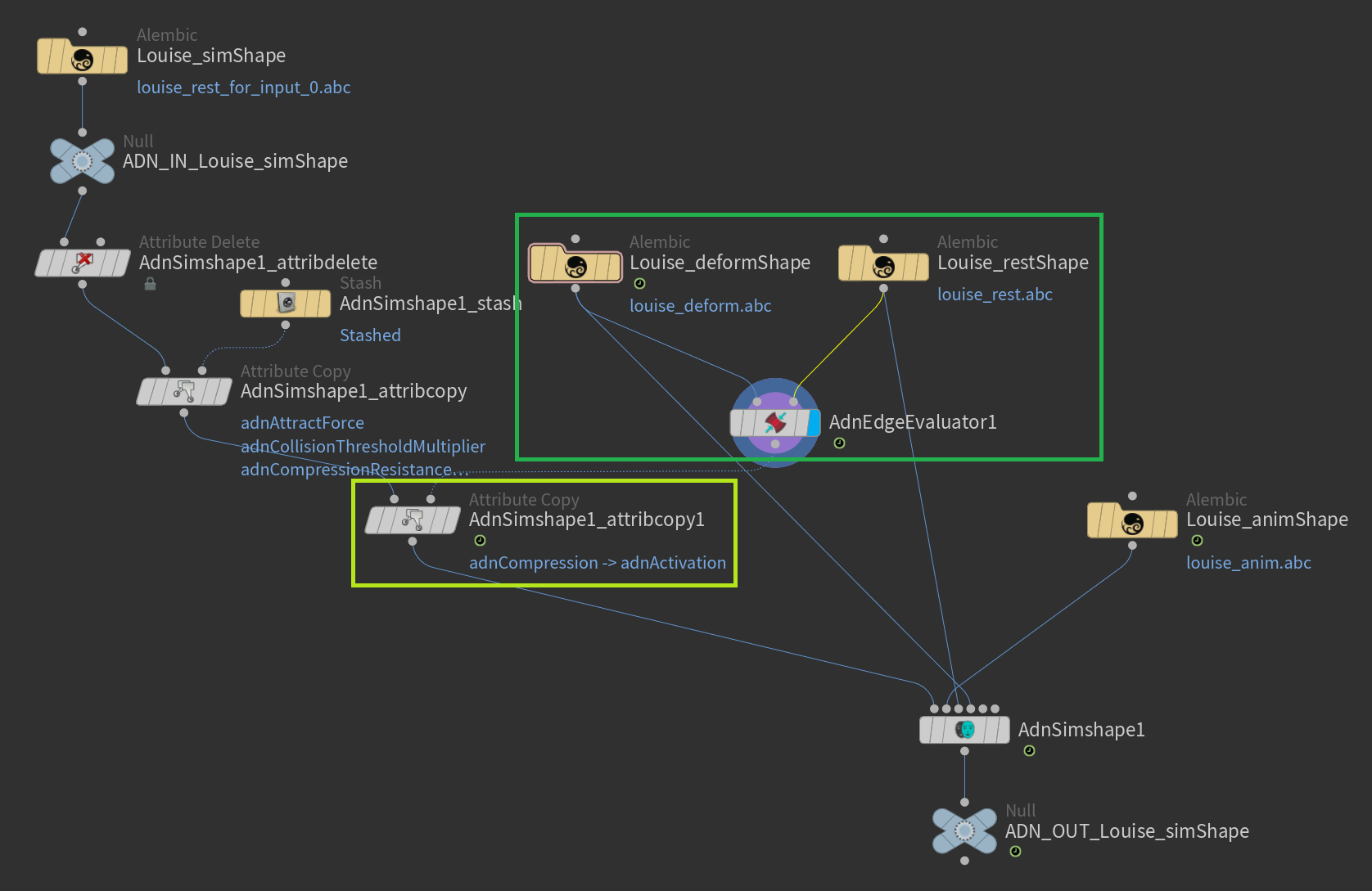
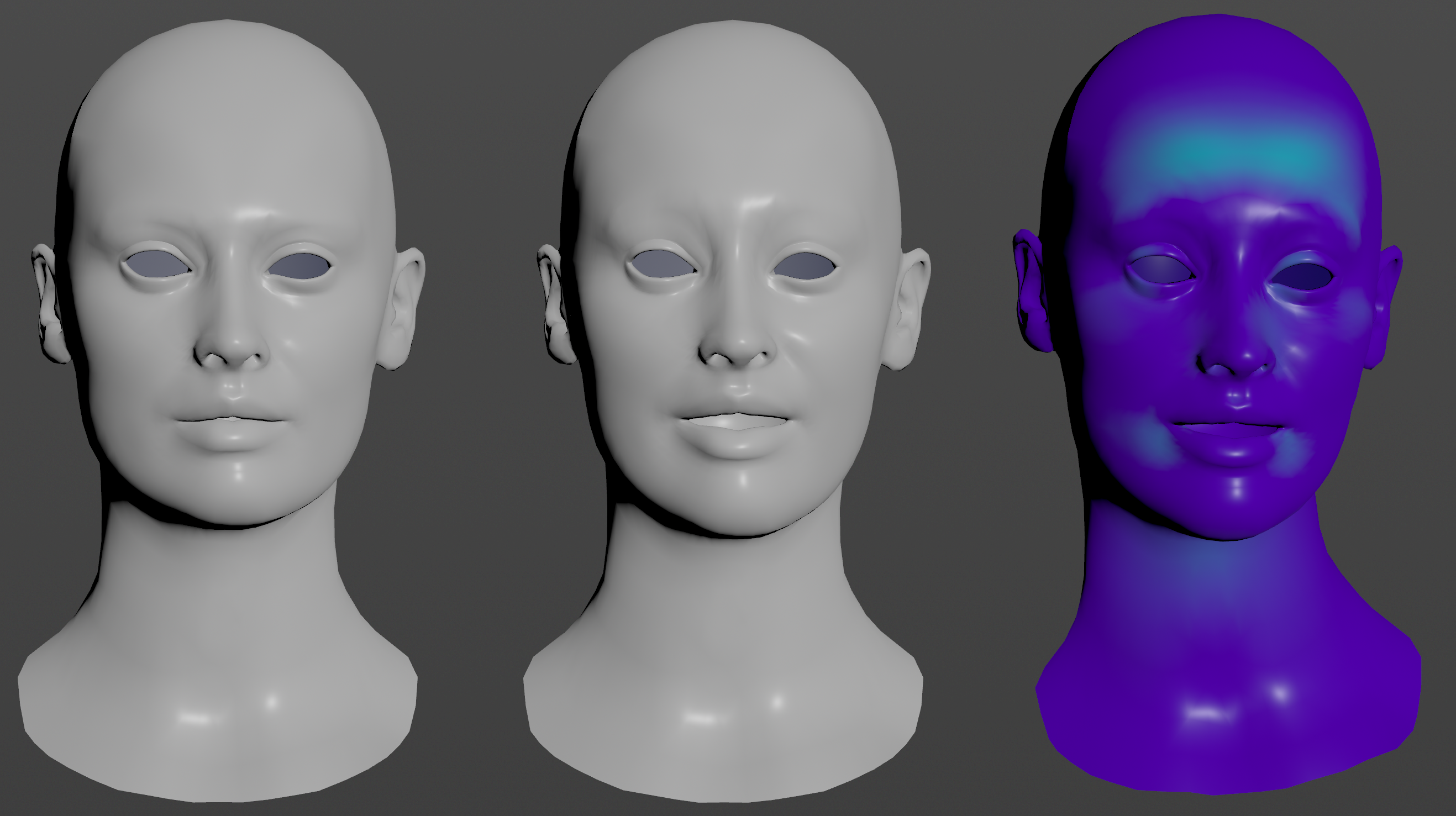
The output point attribute of an AdnEdgeEvaluator (i.e.,
adnCompression) must be copied with the new nameadnActivationto be readable from the Activation Attribute of an AdnSimshape SOP.
Attributes
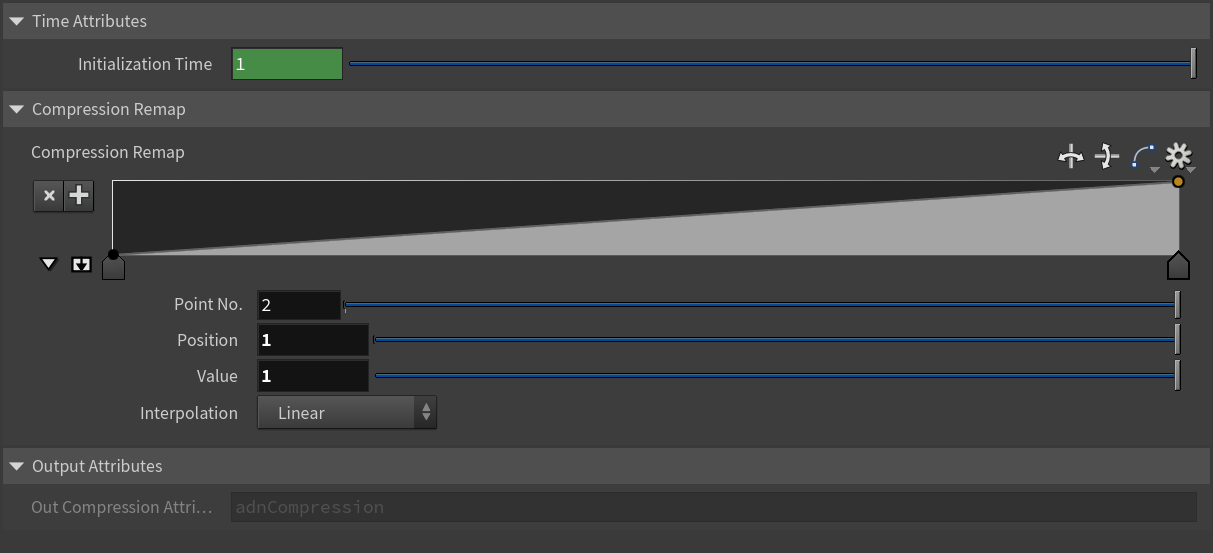
Time Attributes
| Name | Type | Default | Animatable | Description |
|---|---|---|---|---|
| Initialization Time | Time | Current frame | ✗ | Sets the frame at which the data will be initialized. |
Compression Remap
| Name | Type | Default | Animatable | Description |
|---|---|---|---|---|
| Compression Remap | Ramp Attribute | ✓ | Curve to remap the output compression map. |
Output Attributes
| Name | Type | Default | Animatable | Description |
|---|---|---|---|---|
| Out Compression Attribute | String | adnCompression |
✗ | Read only parameter that shows the point attribute name where the compression map is written into. |
Parameter Template
Connections
Connections in AdonisFX for Houdini should be handled in two ways:
- Detail expression:
detail("/obj/geo1/L_adnLocatorRotation_armFlexionShape", "adnActivationRotation", 0)where the first component should contain an API compliant naming convention and the second the detail attribute name that some of the AdonisFX SOP nodes output. This should be used when the requirement is for the connected geometry to cook before retrieving the detail attribute. This could be used for example to drive a parameter of the node using the activation value output from a sensor/locator. - Channel expression:
ch("../AdnMuscle1/envelope")where the first component should contain an API compliant naming convention and the second the referenced channel to the parameter name. This could be used to for example connect a float attribute to drive a parameter on the node.


