

AdnFiberDiffusion
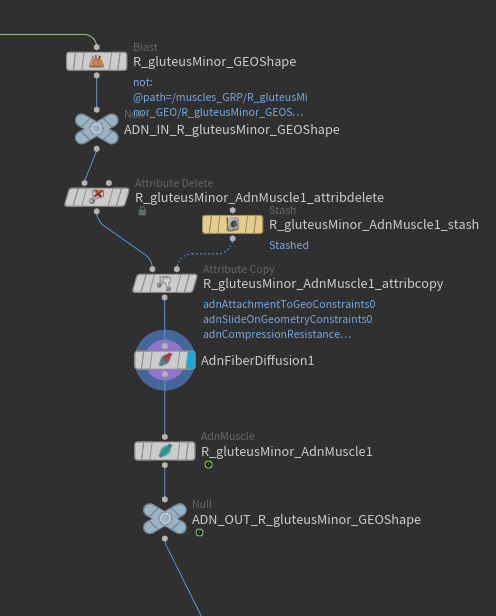
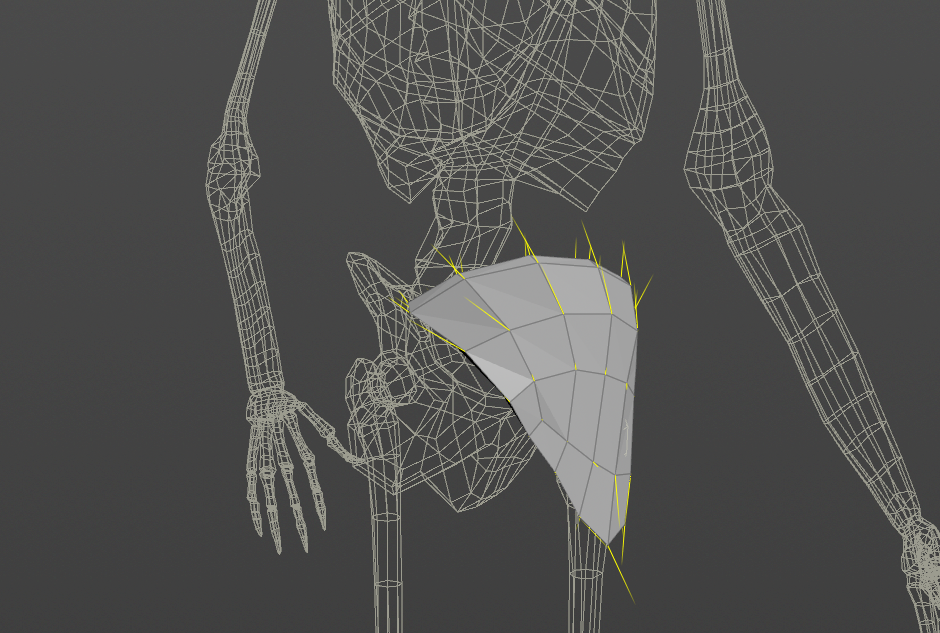
The AdnFiberDiffusion SOP is in charge of, given a defined tendon mask, generate a fiber flow across the processed geometry per point. This is useful for generating fibers for AdnMuscle or AdnRibbonMuscle nodes to drive the activation. This node is also used for the initial fiber direction estimation in the AdnFiberGroom HDA.
How To Use
To create this node, follow these steps:
- Go to the geometry context that has geometry with the painted
adnTendonspoint attribute, generally on the tendon areas of a muscle. This can also be a combined geometry with a defined per-primitive piece attribute. - Press TAB and navigate to the submenu AdonisFX > Utils to find the AdnFiberDiffusion
 SOP type.
 - Connect the geometry to the first source.
- Cook the node and the
adnFiberspoint attribute is written into the geostream with unprojected fiber directions used to drive the activation of an AdnMuscle or AdnRibbonMuscle node.
NOTE
- AdnFiberDiffusion can be used on a combined geometry containing a valid piece attribute. However, for its use in AdnMuscle or AdnRibbonMuscle, each geometry has to be split separately.
- The "Triangulate Mesh" option ideally should match the option exposed in the AdnMuscle and AdnRibbonMuscle UI to get the same behavior.
- The AdnFiberDiffusion node is not mandatory and is only an internal component to the AdnFiberGroom HDA for grooming fibers. Ingesting
adnTendonsdirectly into an AdnMuscle or AdnRibbonMuscle node will generate a consistent fiber form that will be used by the solver.
Attributes
General Attributes
| Name | Type | Default | Animatable | Description |
|---|---|---|---|---|
| Piece Attribute | String | muscle_id | ✗ | Set the per-primitive piece attribute used for splitting the geometry. If not found, it will use all primitives in the input as driver for the fiber diffusion. |
| Triangulate Mesh | Boolean | True | ✗ | Triangulates the mesh internally for the fiber diffusion process. This value should match the value set in the AdnMuscle and AdnRibbonMuscle nodes connected downstream. |
Parameter Template



