

Data Processing
An Adonis ML license is required to use this feature.
The AdnMLDataProcessing HDA is a utility designed to be used in a SOP context to prepare simulated skin data before running machine learning data extraction with the AdnMLDataExtraction TOP HDA.
This HDA is used as a preprocessing step in the ML data extraction workflow. It prepares the simulated skin geometry and the joint data required by the extraction process, and allows the user to select which joints from a KineFX rig should be used as driving input joints for machine learning deformation.
The AdnMLDataProcessing HDA outputs the processed skin data to be extracted from the simulation, together with the selected ML joints. These outputs are then used by the AdnMLDataExtraction TOP HDA, which gathers the input and output data used for training AdonisML models.
The AdnMLDataProcessing HDA is intended to be used before running the AdnMLDataExtraction TOP HDA. This HDA should not be used in isolation for data extraction. The AdnMLDataExtraction TOP HDA is also required to complete the extraction workflow.
UI
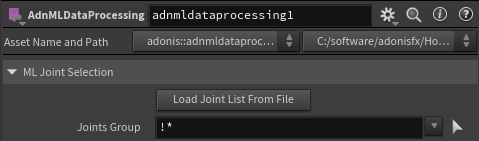
Joint Selection
- Load Joint List From File: Loads the joint list from the configuration file of a previous data extraction. This can be used to reuse the same ML joint selection registered in the
joints.jsonfile from an existing extracted dataset. - Joints Group: Group selector used to select the joints that will be used as ML input data during extraction. The selected joints are stored in the adnMLJoints point group on the ADN_OUT_ML_JOINTS output.
Requirements
To use the AdnMLDataProcessing HDA, the following inputs must be provided:
- Input Skin: Simulated skin geometry to process. This is usually the output of an AdnSkinMerge node containing the simulation data.
- Rest Joints: KineFX joints in rest pose used by the skinning setup.
- Anim Joints: Animated KineFX joints used to drive the animated skin.
- Capture Weights: Geometry containing the bone capture attributes required to describe the skinning weights.
- ML Joints: KineFX joints used as driving input joints for the machine learning deformation.
The Anim Joints and ML Joints inputs must contain the following point attributes:
- name: Name of each joint.
- transform: Transform point attribute of each joint.
The Capture Weights input must contain valid bone capture attributes.
The pipeline is currently only supported when using the Linear skinning method in the Bone Deform node.
The Anim Joints and ML Joints inputs are provided separately because the joints used as machine learning inputs do not necessarily need to be the same joints used to deform the geometry. In most cases, the ML joints will be the same as the animated joints, but a dedicated input is available to support workflows where a different joint set should be used to drive the ML deformation.
The ML Joints input must represent the joint set intended to be used as machine learning input data.
How To Use
-
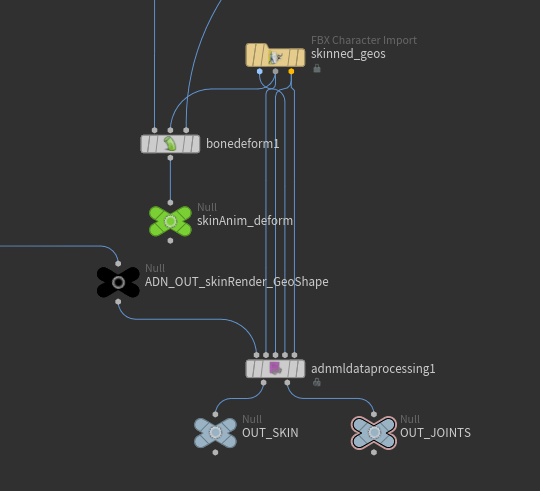
Create an AdnMLDataProcessing HDA in a SOP context.
-
Connect the simulated skin to process into the first input.
This skin should contain the simulation data that will be extracted for machine learning. For example, this can be the result of an AdnSkinMerge node with the simulation data already present.
- Connect the rest joints and animated joints.
These are the same rest and animated joints used to drive the animated skin with a Bone Deform node.
- Connect the capture weights geometry.
This input must contain the bone capture attributes. It should be a skinned geometry already prepared using the desired skinning approach.
- Connect the ML joints.
The ML joints are the joints that will be used as input data during the machine learning data extraction process. In most cases, these are the same as the animated joints, but a dedicated input is provided in case a different joint set should be used to drive the ML deformation.
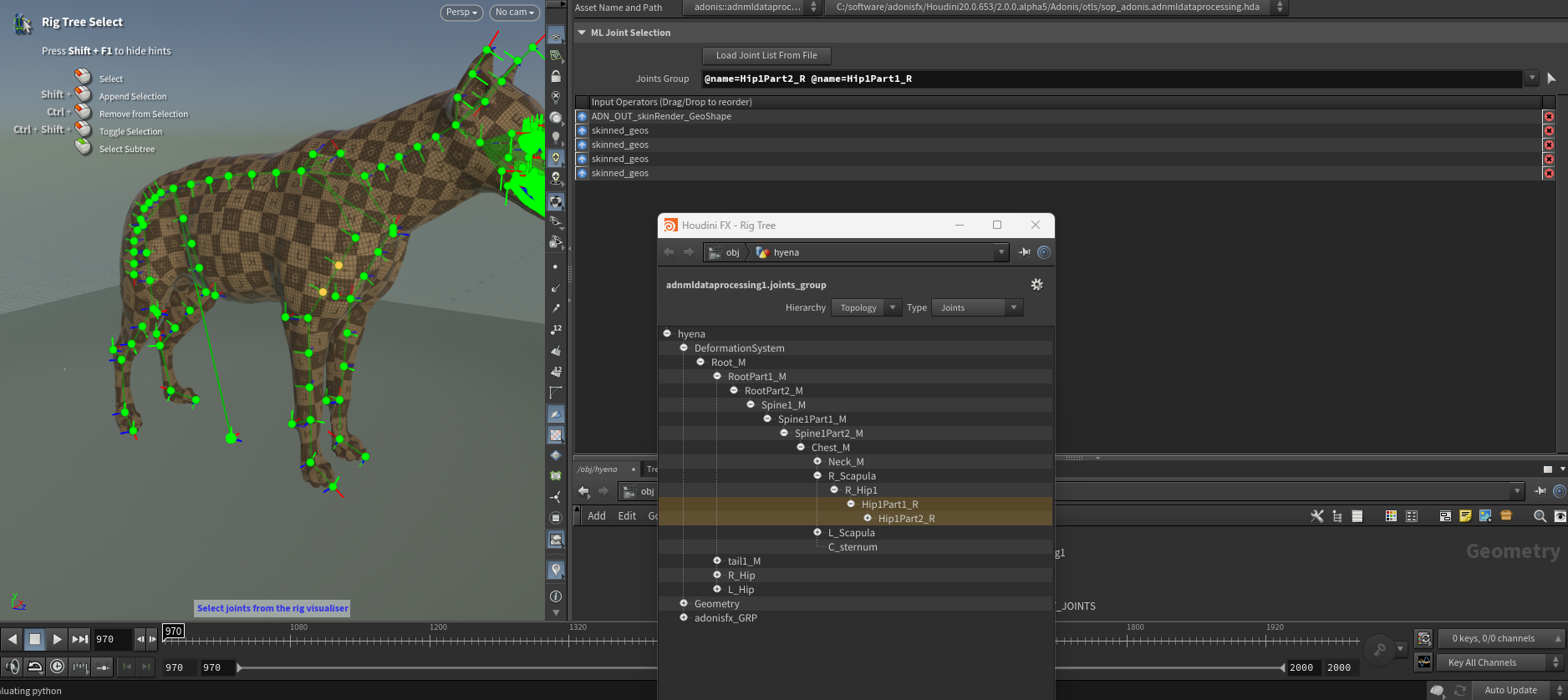
- Select the joints to use for data extraction.
Use the Joints Group parameter to select the joints that should be used as ML inputs.
To select joints interactively, click the picker icon next to the Joints Group parameter. Then select the joints either from the Rig Tree or directly in the viewport. To exit the viewer state, press Esc while the cursor is over the viewport.
Alternatively, use Load Joint List From File to load the joint list from the configuration file of a previous data extraction.
- Cook the node.
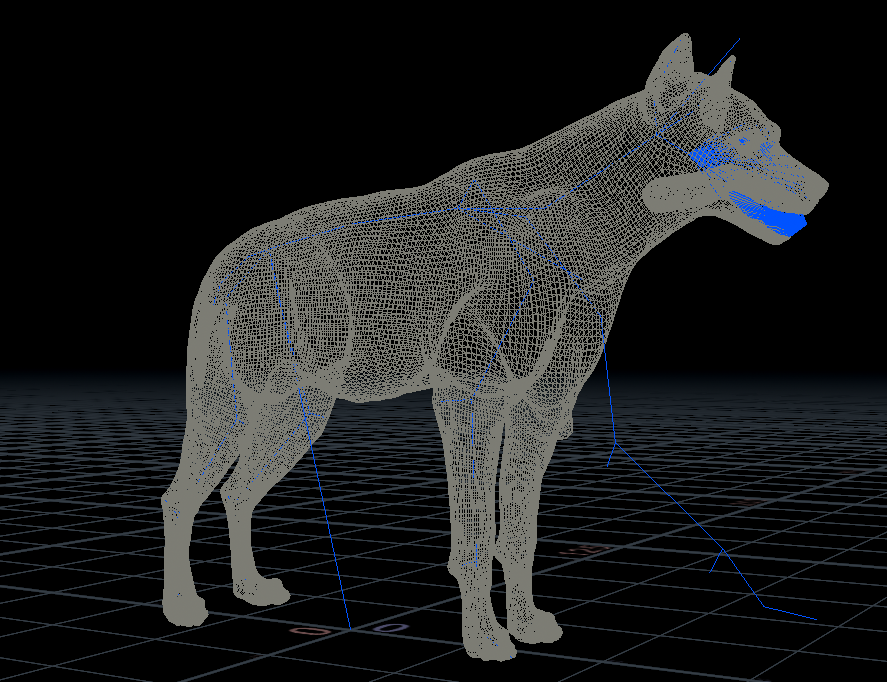
Once the node is cooked, the processed data will be available through its output plugs, as shown in Figure 4:
- ADN_OUT_SKIN: Output 0. Contains the processed skin data to be extracted from the simulation.
- ADN_OUT_ML_JOINTS: Output 1. Contains the selected ML joints.
The second output, ADN_OUT_ML_JOINTS, contains a point group named adnMLJoints. This group identifies the selected joints and is used by the AdnMLDataExtraction TOP HDA to determine which joints should be included in the machine learning input data.
We recommend appending Null nodes to both outputs and naming them OUT_SKIN and OUT_JOINTS. This makes it easier to identify and reference the processed skin and selected ML joints later when configuring the AdnMLDataExtraction TOP HDA.
- Use the outputs in the AdnMLDataExtraction TOP HDA.
The processed skin and selected ML joints generated by the AdnMLDataProcessing HDA are used as the next step of the ML data extraction workflow. For more information, refer to the AdnMLDataExtraction TOP HDA documentation.
Result
After cooking the AdnMLDataProcessing HDA, the following outputs are generated:
- ADN_OUT_SKIN: The processed skin geometry containing the simulation data to be extracted.
- ADN_OUT_ML_JOINTS: The ML joint geometry containing the selected joints for data extraction.
The ADN_OUT_ML_JOINTS output includes a point group named adnMLJoints. This point group is used by the AdnMLDataExtraction TOP HDA to identify the joints that should be extracted as input data for machine learning.
For clarity, we recommend appending Null nodes to these outputs and naming them OUT_SKIN and OUT_JOINTS. These Null nodes can then be referenced when configuring the data extraction workflow.
The resulting data can then be passed to the AdnMLDataExtraction TOP HDA, which gathers the data used for training AdonisML models.


